The creative's control room for local AI — it drives the tools, you create.
Image, 3D, voice, sound, Blender — the tools are powerful, but scattered, technical, and a pain to wire together. Phoenix pulls them into one workbench and operates them for you: a harness for creatives, not engineers. You describe what you want and stay in the flow; Phoenix drives the tools and hands you assets to finish. Everything generates on your own GPU — no metered cloud, no per-render fees.
The best local AI tools live in different apps, environments and command lines. Phoenix puts them under one roof — and drives them for you.
Concept images
Local image models draft the look from a prompt.
3D meshes
Forge an image into textured geometry for Blender.
Voice & sound
Spoken lines and sound effects, generated locally.
Isolate & edit
Cut a subject out clean, or restyle an asset.
Blender bridge
Drive your open Blender scene directly from Phoenix.
Workflow library
Install and manage the tool workflows in a click.
Built for creatives, not engineers
The tools are the hard part
Models, Python environments, CUDA versions, node graphs, VRAM limits — powerful, but a wall between you and the work.
Phoenix is the operator
Think of it as a harness for creative work: it runs the complicated tools, handles the plumbing, and keeps you in the flow.
One workflow, end to end
Take a single prop from a sentence to a finished asset — one of the workflows Phoenix runs for you.
01
Prompt
Describe the prop in a sentence.
02
Concept image
A local image model drafts the look.
03
3D mesh
It's forged into geometry + texture.
04
Refine in Blender
You finish and compose the asset.
Real output, nothing staged — a sentence in, a textured 3D model out, rendered on a single 10 GB consumer GPU. Then you finish it in Blender.
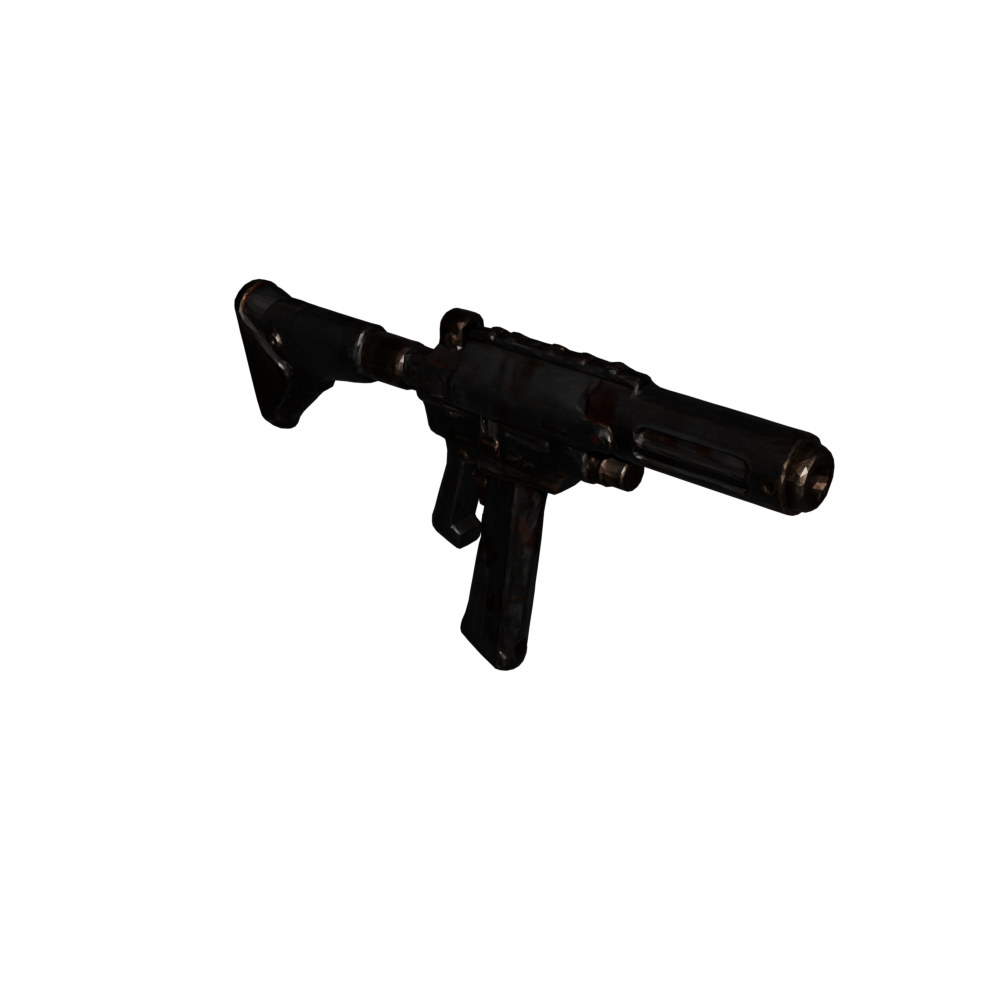
"a battle-worn sci-fi rifle"
01 · CONCEPT IMAGE
02 · 3D MESH
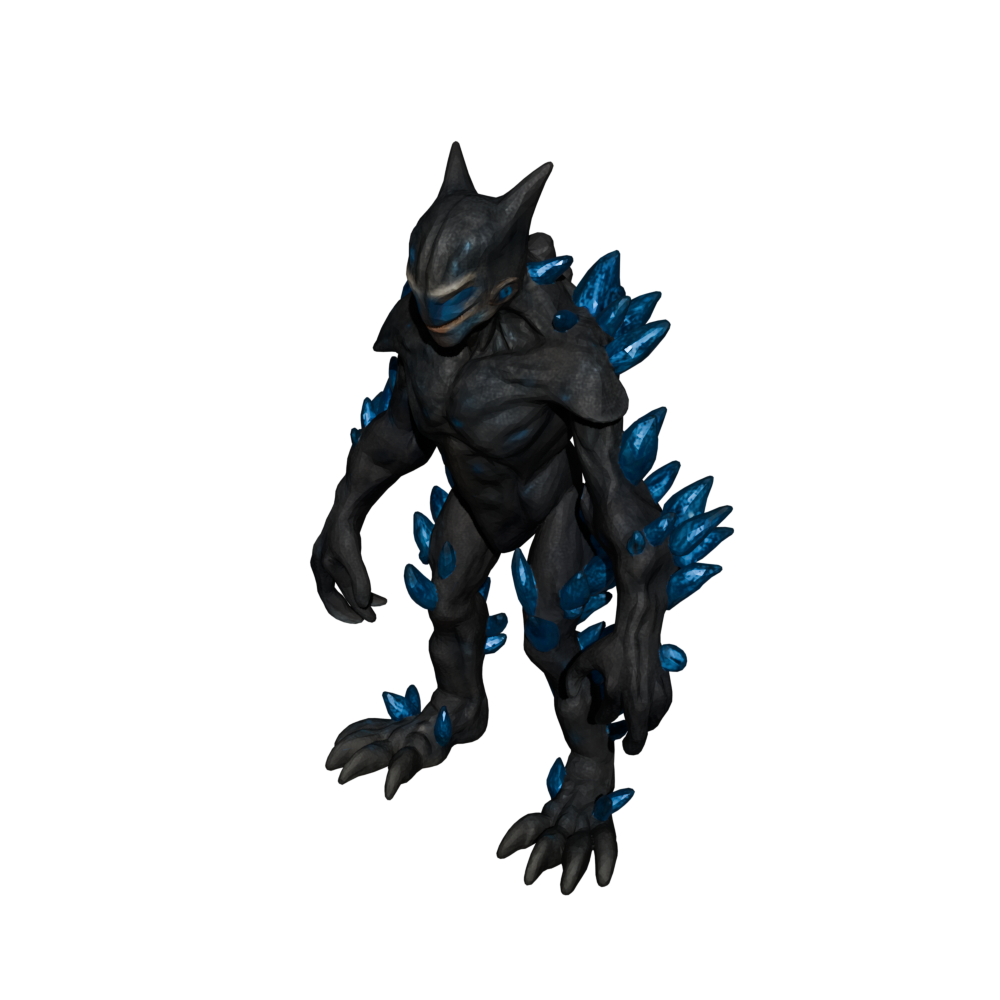
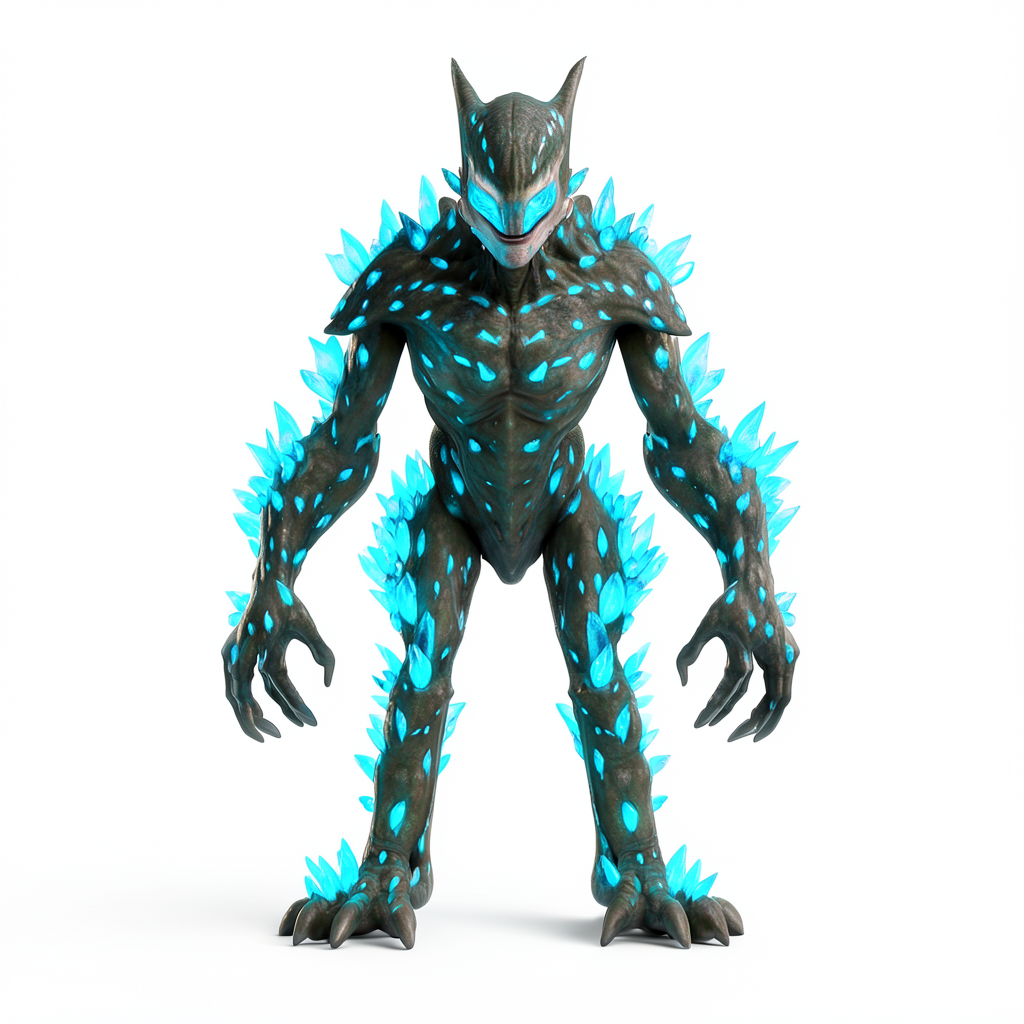
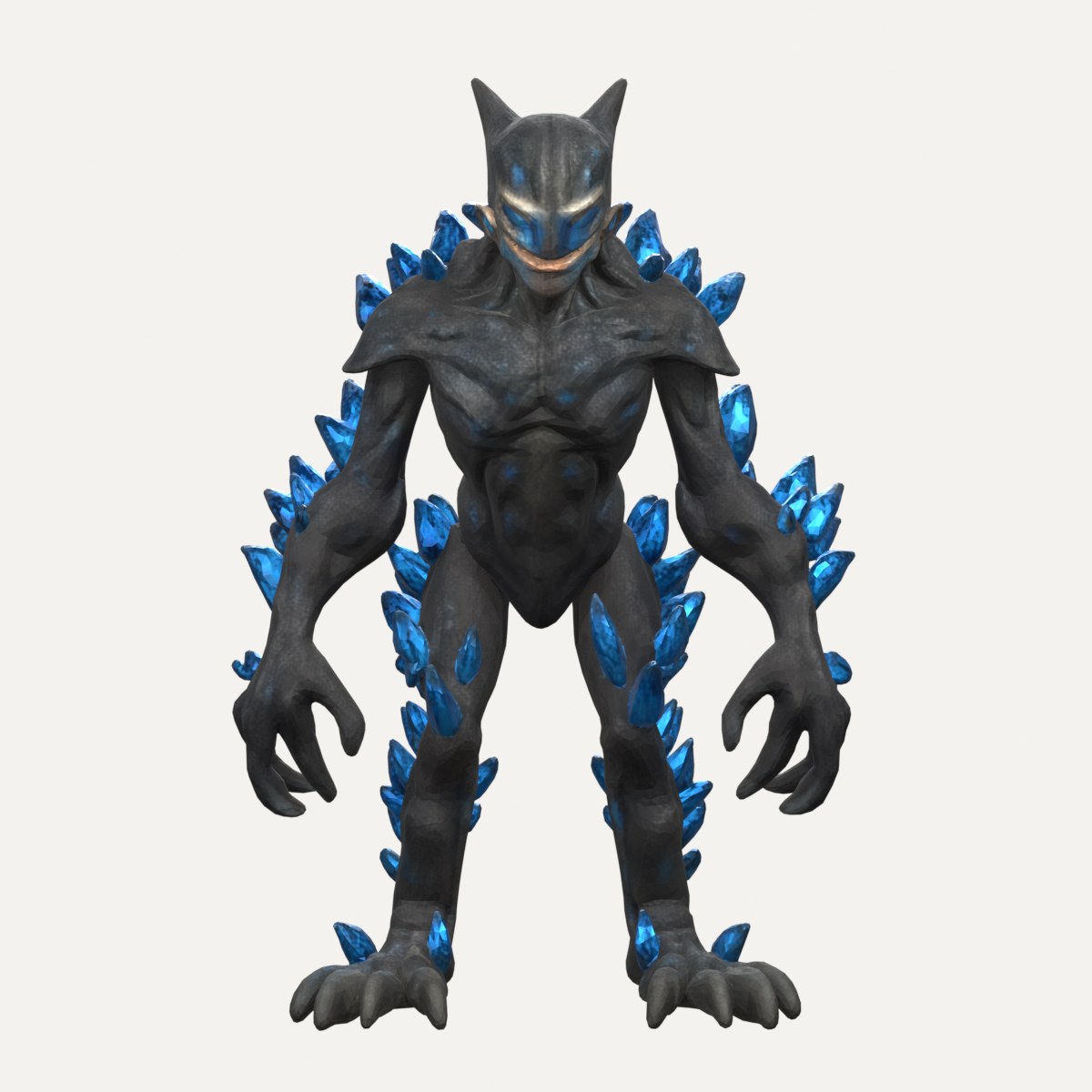
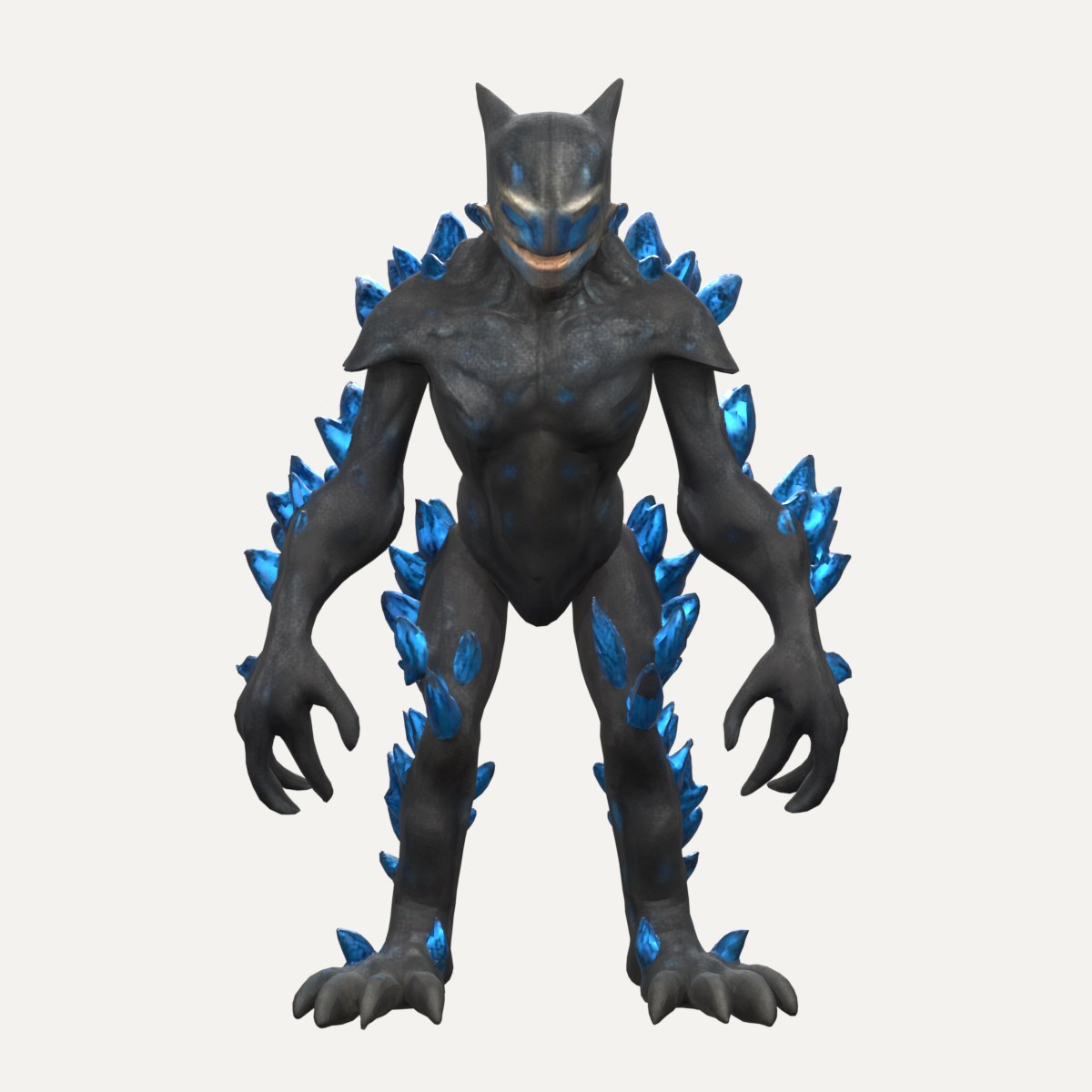
"an alien creature with bioluminescent crystals"
01 · CONCEPT IMAGE
02 · 3D MESH
NEW IN v1.9
Clean topology, when you need it
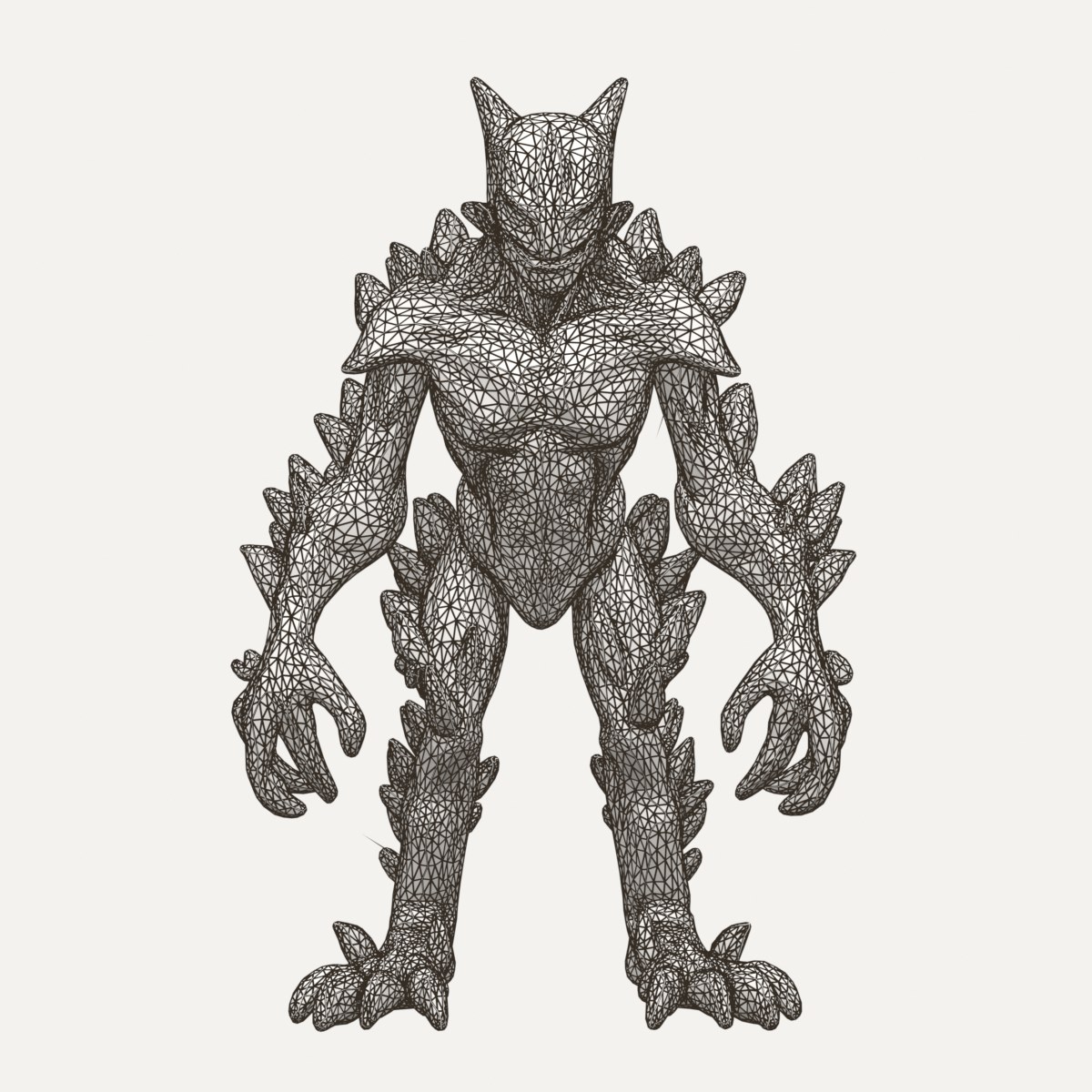
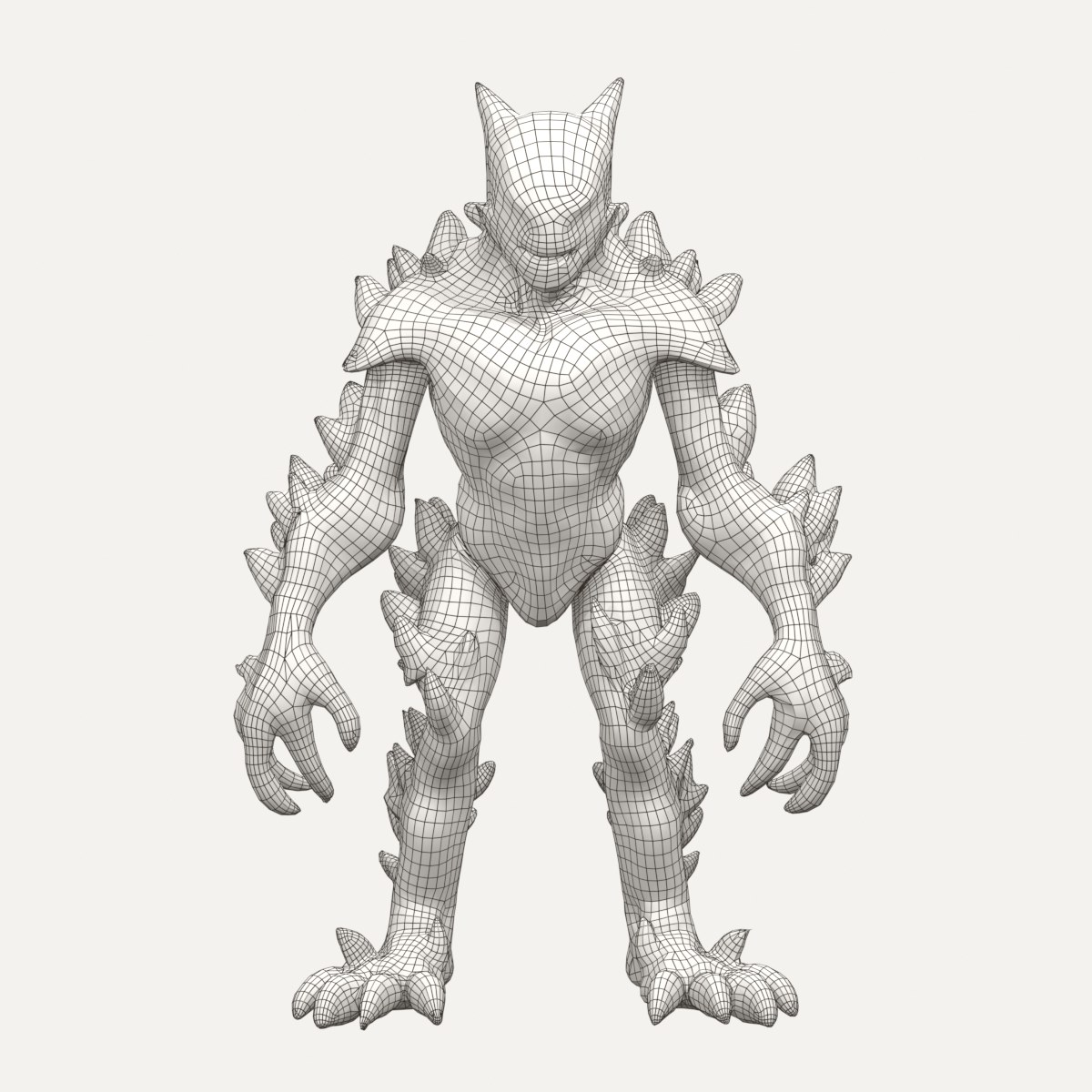
Trellis forges a textured mesh for free, on your own GPU — as raw triangles. When an asset has to be rigged or animated — for a game, a film, whatever you need it for — Phoenix can hand it to Meshy's remesher and bring back clean quads with the textures re-baked.
RENDERWIREFRAME
FREE · LOCAL
Trellis 2 on your GPU
38,034 triangles · textured · costs nothing but power.
RENDERWIREFRAME
PAID · OPT-IN
Trellis 2 + Meshy remesh
19,779 quads · textures re-baked at 2K/4K · 5 Meshy credits (≈ $0.10 on the Pro plan).
Same creature, same camera. Meshy is a third-party paid service — Phoenix only uploads a mesh when you switch remeshing on and press the button.
NEW IN v1.9
Bring your own brain
Your Claude subscription, your ChatGPT plan, or a model on your own GPU — Phoenix works with whatever you've got. Same prompt to three of them: each one wrote the lantern straight into Blender as geometry and materials, no image in between. When a script crashed, the model got Blender's error back and fixed it — the way Phoenix's troubleshooter does. Same stage, same light.
SUBSCRIPTION · CLAUDE CLI
Claude Opus 5.5
Ran after one fix round.
SUBSCRIPTION · CODEX CLI
GPT-6.1
Ran on the first try.
LOCAL · YOUR GPU
Qwen3.6-27B
Ran after six fix rounds — on a single RTX 3090.
THE PROMPT
Write ONE self-contained Blender 5.1 Python script (bpy) that models a detailed, beautiful old-fashioned lantern prop, directly as geometry — no image, no external files, no add-ons.

Requirements:
- Build everything procedurally with bpy/bmesh (modifiers like Bevel, Subdivision, Solidify, Array, Screw are welcome). Aim for a high-quality, high-detail prop: frame, glass panes, top cap, handle/ring, base, and a candle or flame inside.
- Give it real materials (Principled BSDF node trees): e.g. aged metal, glass (transmission), and an emissive flame/candle glow. No image textures; procedural nodes are fine.
- Put every object into a new collection named "Lantern". Stand it on the ground plane: lowest point at z=0, centered on x=0,y=0, roughly 0.4 m tall.
- Do NOT create cameras, lights, world or render settings, and do NOT delete existing objects — the scene setup is handled elsewhere.
- Use only the Blender 5.1 API (e.g. material.use_nodes is fine; avoid removed APIs such as bpy.ops.object.mode_set in background without context, Principled inputs must use their 4.x/5.x names like "Transmission Weight", "Emission Color", "Emission Strength").
- The script must run headless: blender -b --python script.py

Reply with ONLY the Python code in a single ```python code block, nothing else.
Honest about what it does
Strong at
Compact, solid objects — props, stones, tools, containers, single forms. Clean single-mesh output you can drop straight into Blender.
Not yet
Thin, branchy shapes (foliage, wires) and final game-ready cleanup — those you finish by hand. Phoenix gets you the model; you take it the last mile.
Easy to get running
Set up with Claude
The AI operator walks you through the first install, step by step — no config marathon. The model downloads take a while, but that's the only real wait.
Or follow the guide
Rather do it yourself? A step-by-step walkthrough from the knowledge base takes you through every step.
Milestones
Released in the open, one version at a time. Here's how Phoenix got here, and what it's working on now.
in progress
v1.10.1 — a new home
Phoenix gets a new shell: a left rail for Create, Characters, Audio, Story and Library, a command palette, a Copilot panel and a status bar that shows what is running. Settings are rebuilt into six clear sections, and deleted things go to a trash you can restore from.
2026-10-18
v1.10 — from images to a storyboard
Lay shots out on a storyboard and turn them into clips locally with LTX-2, or bring your own video model like Wan 2.2. Generate from reference images, tune every workflow in its own Advanced section, and drive Phoenix from your phone over your own private network.
2026-10-10
v1.9 — bring your own brain
Phoenix stops depending on a single AI. Drive it with a local model on your own GPU, your ChatGPT plan, Claude, or an API key. Every model gets a tool test and a short competence benchmark first, so Phoenix tells you what that model can actually drive.
2026-10-06
Episode 0 is out
The first episode of the tutorial series: from install to a first prop in Blender, in under three minutes.
2026-09-24
v1.8.1 — a library that ships with nothing
Every workflow states its license and exactly what it needs, and fetches only that, so you download only the workflows you use. Voice gets an engine picker.
2026-08-08
v1.8 — edit between the stages
Recolour or restyle a concept image, or cut one part out clean, before it becomes a mesh. Heavy GPU jobs now take turns on a single card.
2026-08-02
v1.7 — Unreal and sound
Place props and characters straight into a running Unreal level and pull assets back into Blender. Plus spoken lines and sound effects.
2026-07-26
v1.6 — characters and animation
Build parametric people in Blender, save rigged characters, retarget and chain animation clips, and rig creatures and machines too.
2026-07-03
v1.5 — first public release
The core pipeline goes open source: a sentence in, a concept image, a textured 3D mesh in Blender, with a gate at every stage.
What would you build?
A prompt you wish worked, a bug, an asset you need — it goes straight to the workbench.
Phoenix is built by one developer, chasing the idea full-tilt on the side. If it saves you time, a coffee buys more build time — and keeps the tool free and open.